Our published estimate for smart lock installation in Austin is $150-325 for labor, with the lock itself bought separately. That is an estimate to help you budget, not a quote, and your technician confirms the final price on site before work starts. The lock you choose and the state of your door move the number inside that range.
Most of the cost questions come from the same few places: the type of lock, the door it goes on, and the extras nobody mentions at checkout. This guide walks through each one, using Austin homes as the examples, from a Mueller new build to an older Hyde Park bungalow.
What does smart lock installation cost in Austin?
Smart lock installation costs $150-325 in Austin by our published estimate, covering labor only. The lock is a separate purchase, priced by brand and features. Your technician confirms the exact total on site before starting, and once you approve it, that number does not change. There is no trip charge when you use our services.
Think of the cost as two bills. One is the hardware, which you can shop for freely. The other is the install, which depends on your door. Our smart lock installation service page describes what the visit covers, and the pricing page shows every published range side by side.
What changes the price of a smart lock install?
The price moves with five things: the lock type, the condition of the door, the smart home system it must join, the time of day, and what has to come out first. A standard pre-drilled door with a Bluetooth lock is the simple case. Everything below adds labor.
| Factor | Simple case | Adds labor when |
|---|---|---|
| Lock type | Bluetooth lock, no network | Wi-Fi setup, hub pairing or fingerprint calibration |
| Door | Pre-drilled for the lock | New holes, wider bore or a changed backset |
| Door material | Standard wood door | Metal, glass or an unusually thick door |
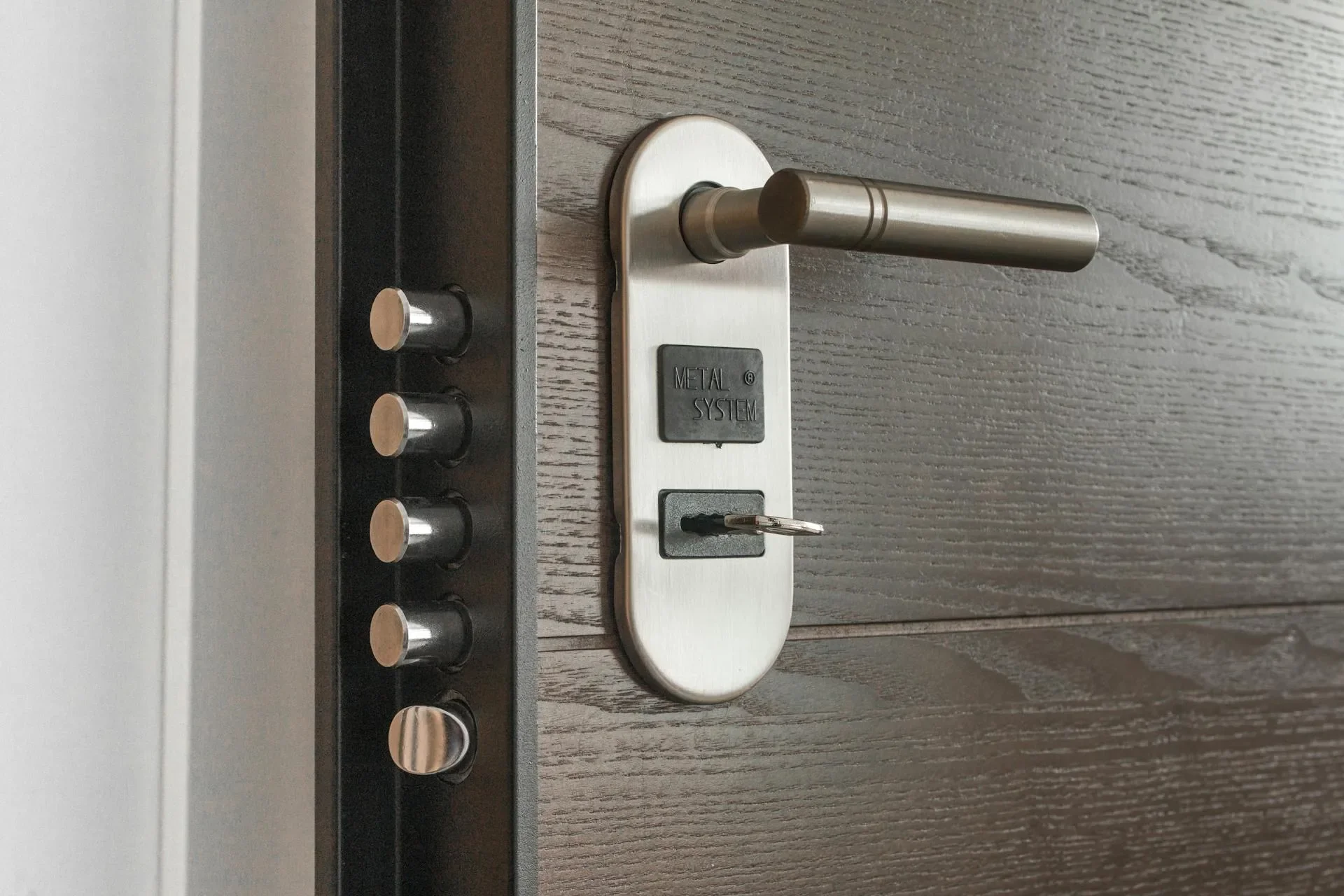
| Old hardware | A plain deadbolt | Mortise lock, damaged parts or a multi-point system |
| Smart home link | Standalone lock | Pairing with Ring, Google Home, HomeKit or SmartThings |
| Time of service | Standard business hours | $25 added for service between 10 PM and 7 AM |
Older Austin homes show up in that table more than new ones. A historic door near South Congress may have a non-standard bore or a thin frame, and a custom fit takes time that a Domain condo door does not.
Which smart lock type fits your door and budget?
The lock type decides the setup work, so choose it before you shop. Bluetooth locks suit people who only need entry from the porch. Wi-Fi locks add remote access. Z-Wave and Zigbee locks join a hub. Fingerprint models add calibration. Mortise models fit the door edge and take the most care to install.
Bluetooth locks connect to your phone when you are near the door. They need no home network, so setup is the lightest of the group.
Wi-Fi locks join your home network for remote access, which helps if you let in a pet sitter while traveling. They need a steady signal at the front door.
Z-Wave and Zigbee locks pair with a hub such as SmartThings or a Ring base station. They suit homes that already run a hub.
Fingerprint locks store fingerprints and can combine them with a keypad or app. The sensor needs careful setup.
Mortise smart locks mount in the edge of the door instead of on its face. They are common in older buildings and some commercial doors, and the install is the most involved. Expect the technician to look at the door edge and existing mortise pocket before confirming the work.
Whichever you pick, a model with a traditional key backup gives you a way in if the batteries die.
Does your Austin neighborhood change the price?
The location does not change the posted estimate. We do not charge a trip fee, so a job in Zilker, Mueller, Tarrytown or Travis Heights is estimated the same way as one in Round Rock, Cedar Park or Pflugerville. The after-hours fee of $25 for service between 10 PM and 7 AM is the only location-neutral add-on.
What does change from one neighborhood to the next is the door. Tarrytown and West Lake Hills homes may have heavy custom entry doors, and downtown condos often use a different frame than a Circle C house. Those differences show up as door preparation, not as a distance charge.
Our residential locksmith services cover the Austin metro, and the technician sees the actual door before confirming the total.
DIY or professional: which costs less?
DIY costs less only when everything goes right. You pay for the lock and your own time, and a mistake can add door repair and a second lock purchase. A professional install adds the labor estimate but covers door preparation, alignment, setup and testing. The honest answer depends on how standard your door is.
What DIY gives you: a lower cash outlay if the door is already drilled for your lock, and the satisfaction of doing it yourself. What it risks: stripped screws, a misaligned bolt that makes the door stick, a strike plate set wrong, and app or network setup you must troubleshoot alone.
What a professional install adds: door preparation handled on site, alignment checked, setup and testing completed before the technician leaves, and someone to ask when the app misbehaves. The labor estimate buys that, and the lock is the same either way. For a rental or a spare side door with a basic lock, doing it yourself is a reasonable call; for the front door of your home, the extra care tends to be worth it.
DIY makes sense when the door is already prepared for your exact lock and the lock is a basic Bluetooth model. If the door needs any change, or the lock must join a smart home, the labor estimate is usually the cheaper path.
What costs show up beyond the installation?
Several costs sit outside the labor line, and they are the ones people forget: door preparation, a reinforced strike plate, a stronger Wi-Fi signal at the door, a hub, spare keys, batteries and any subscription the lock maker attaches. None has a fixed number here, because they depend on the product and the door.
Door preparation. Doors that need new holes or a changed backset take more time. Your technician identifies this before work starts.
Strike plate and frame. A smart lock is only as strong as the frame holding it. A longer-screw strike plate is a common upgrade on exterior doors.
Signal at the door. If the Wi-Fi is weak at the porch, a Wi-Fi lock drops out. A mesh node or extender solves it.
Hub. Z-Wave and Zigbee locks need one if you do not own one already.
Spare keys. Locks with a key backup need spares cut for family or a pet sitter.
Batteries and subscriptions. Ask the maker which features need a paid plan, and how often the batteries need changing. Austin summer heat is hard on batteries.
How do you choose a smart lock without overpaying?
Choose by use, not by the spec sheet. Decide how you want to enter, which system the lock must join, and how secure the door needs to be. Then match the lock to those answers. Paying for features you will not use raises the hardware bill without improving the door.
Choosing a smart lock in five steps
-
Step 1: Rank the door
The main entry needs the most security. Side and garage doors can use simpler locks.
-
Step 2: Pick the connection
Bluetooth for near-door entry, Wi-Fi for remote access, a hub lock if you already own one.
-
Step 3: Match your system
Choose a lock that works with the smart home setup you already use.
-
Step 4: Check the grade
For exterior doors, look for a lock rated for the job and read the maker's documentation.
-
Step 5: Measure the door
Thickness, backset and bore hole must match what the lock supports.
Total cost of ownership matters more than the sticker price. A cheaper lock with a monthly plan can cost more over a few years than a pricier one with none, so add up batteries and subscriptions before you decide.
What should you ask a locksmith before hiring?
Ask for the licence number, the scope of the quote and what happens if the lock does not fit. Texas requires locksmiths to be licensed, and you can look any licence up on the Texas DPS portal. Ours is B30821501. A clear answer to each question separates a prepared company from a vague one.
For more on spotting a bad actor before they arrive, see our guide to fake locksmith scams in Austin. If you are weighing a smart lock against simpler fixes, our rekey or replace guide helps you compare.
How does Austin heat affect a smart lock?
Austin heat shortens battery life and can stress the electronics in a lock on a sun-facing door. A west-facing front door in July gets far hotter than the inside of the house. Weatherstripping, a shaded entry and fresh batteries before summer all help a smart lock stay reliable through the hottest months.
Humidity and dust matter too, especially for doors that open onto a garage or a covered porch. Ask the lock maker what temperature range the lock is built for, and check that the keypad or fingerprint sensor is rated for outdoor use. A lock that works on a mild spring day may behave differently in August.
Is a smart lock worth the cost over several years?
A smart lock pays off through convenience and control more than through savings on paper. You skip hidden spare keys, you can issue and cancel codes, and you stop rekeying when a key goes missing. The value depends on your habits, so judge it by what you will actually use.
Count the long-term costs honestly: the lock, the install, batteries, and any subscription. Then compare against a standard deadbolt that you rekey when keys change, and our guide on how to count your locks for a whole-house rekey estimate shows how to size that cost. Our signs you need a home security upgrade post is a useful companion when you are deciding how far to go.
If a smart lock is part of a wider upgrade, our guide to high-security locks for Austin homes covers the deadbolt side of the door.
Frequently asked questions
How much does smart lock installation cost in Austin?
Our published estimate for smart lock installation is $150-325 for labor, and the lock itself is bought separately. The range is an estimate, not a quote. Your technician confirms the final price on site before any work starts.
Is there a trip charge for installation in Round Rock or Pflugerville?
We do not charge a trip fee when you use our services. The one added fee on our pricing page is $25 for service between 10 PM and 7 AM. The technician confirms the exact total on site before starting.
Do I need Wi-Fi for a smart lock?
Not always. Bluetooth locks work from your phone when you are near the door and need no home network. Wi-Fi locks give remote access, and Z-Wave or Zigbee locks need a compatible hub. Pick the connection type before you buy the lock.
Can I install a smart lock myself?
You can, if the door is already drilled for your lock and you have the right tools. Mistakes with backset, hole size or strike plate alignment are the usual problems. Measure first, and call a locksmith if the door needs any modification.
What should I check before buying a smart lock?
Measure the door thickness, the backset and the bore hole size, then confirm the lock lists those measurements as supported. Check which smart home system you already use, and decide whether you need remote access or only phone-near entry.
How do I verify a locksmith before they work on my door?
Ask for the Texas DPS licence number and look it up on the state portal before the visit. Ours is B30821501. Also ask what the quoted price covers, so door preparation, setup and testing are not billed as surprises.
Next step: get an estimate for your door
Tell us the lock you are considering and the door it is going on, and we will talk through the work before anyone visits. Austin Locksmiths is Texas DPS licensed, licence B30821501. Call (737) 222-7022, or read about our smart lock installation service first.
Prices shown are estimates
They give you a general idea of what the service costs, and are not a final quote. Your actual price depends on the lock, the vehicle or door, job complexity, and time of day. Your technician confirms the exact final price with you on site, before any work begins.